Best AI Newsletter Generators: 7 Tools Compared and Ranked
The best AI newsletter generators, compared by what they actually generate: the copy, the design, the send, or a new issue every week.

24 min read
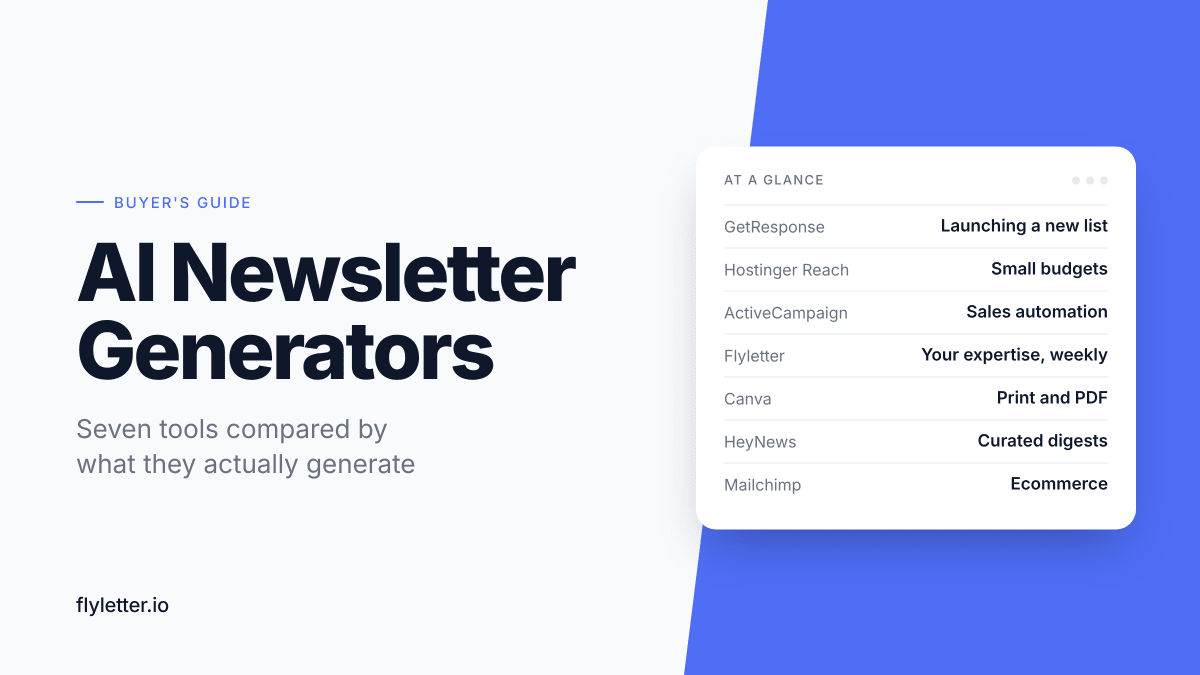
Type a topic, get a newsletter. Every AI newsletter generator makes some version of that promise, and the tools behind it barely resemble each other. One writes, designs, and sends a promotional email to your list. Another lays out a newsletter you can print for parents. Another writes next week's issue before you've thought about it.
The best AI newsletter generators are GetResponse, Hostinger Reach, ActiveCampaign, Flyletter, Canva, HeyNews, and Mailchimp. Which one fits depends on the job your newsletter has to do.
Most of these generators are email platforms first. GetResponse, Hostinger Reach, ActiveCampaign, and Mailchimp all hold your list and send your email, so if you don't have a list yet, picking a generator usually means picking where you'll send from. Weigh the platform as much as the AI.
I co-founded and sold a digital publication with more than 100k subscribers, and I write with AI every week. I also built Flyletter, which is on this list. It's judged on the same criteria as every other tool.
This guide covers tools that make the newsletter for you. If you'd rather learn to write one with AI yourself, the complete guide to AI newsletter writing walks through the process.
The Best AI Newsletter Generators at a Glance
| Tool | Best For | What It Generates | Pricing |
|---|---|---|---|
| GetResponse | Launching a new email list | Copy, layout, and images, plus the send | Free plan (500 contacts); Starter $19/mo |
| Hostinger Reach | Occasional newsletters on a small budget | Copy and branded design from one prompt, plus the send | Free plan (20 one-time AI credits); from $1.99/mo on a 24-month term |
| ActiveCampaign | Lead nurturing and sales automation | A full campaign from one prompt, plus the send | 14-day free trial; Starter $19/mo |
| Flyletter | Turning your expertise into a weekly newsletter | Original issues and images in your voice, on a schedule | Free plan (3 newsletters); Creator $29/mo |
| Canva | Printed and PDF newsletters | Layout, copy, and images, exported as HTML or printed | Free plan; Pro $15/mo |
| HeyNews | Curated news digests | Roundups from your sources, in your voice | 14-day free trial (card required); Hobbyist $39/mo |
| Mailchimp | Ecommerce newsletters | Copy and sections inside the editor | Free plan (no AI); Standard $20/mo with AI |
Prices were checked in October 2026 at each tool's smallest list size. Vendors change pricing often, so confirm on each pricing page before you buy.
What Is an AI Newsletter Generator?
An AI newsletter generator is software that produces a newsletter from a short input, such as a prompt, a few notes, a link, or a list of sources. Some generate only the words. Others generate the layout and send the email too.
They fall into four types:
- Email platforms that generate and send. You describe the email, and the platform writes it, designs it, and sends it to your list. GetResponse, Hostinger Reach, ActiveCampaign, and Mailchimp work this way.
- Design tools. These produce a visual newsletter you export as HTML, a PDF, or a printout. Canva is the best known.
- Automated generators. These write a new issue on a schedule without a fresh prompt each time. Flyletter writes original issues, and HeyNews writes roundups of stories from your sources.
- Free one-off generators. Web tools like QuillBot turn a prompt into newsletter copy, with no account and no memory between uses.
If you need one email out the door today, the first type is the fastest route. If you publish every week, the third type is the one that keeps saving time after the first issue.
How We Evaluated These AI Newsletter Generators
Every tool here was judged on the same six criteria. The information comes from vendor pricing pages and product documentation (checked in October 2026), published hands-on reviews where they exist, and my own experience writing newsletters with AI.
- How much it generates. Does it produce the copy, the copy and the design, or the copy, the design, and the send?
- What you have to give it. Does it start from a prompt, your notes, a link, a feed of sources, or an archive of past issues?
- One issue or every issue. Does it produce the next issue on its own, or does every issue start from a blank prompt?
- Editing before you'd send it. How far is the draft from something you'd put in front of subscribers?
- What's free. What can you generate before you pay, and where does the free tier stop?
- Cost per issue. What does each issue cost once AI credits and usage caps are counted? Each pricing section works this out for a weekly newsletter of four issues a month, at the smallest list size. Email platforms include sending in that price, and the other tools don't.
The order reflects how much of a send-ready newsletter each tool generates, from the whole email down to sections inside an editor. A lower number means less of the newsletter is generated, not a weaker tool. Each one is the strongest pick here for the use case in its Best For column.

1. GetResponse: Best for Launching a New Email List
GetResponse is an email marketing platform, and the strongest pick here for launching a new list. Its AI builds the landing page that collects subscribers, the welcome email that greets them, and the newsletter itself.
Answer a short questionnaire, and it returns a designed email ready to send. EmailTooltester called it one of the more complete generators it tested.
Key Features
- Full-email generation. Copy, layout, palette, subject line, and imagery come back in one pass. Highlight any section to shorten it, lengthen it, change its tone, or translate it.
- A launch kit. The AI campaign generator builds a landing page and a welcome email alongside your first newsletter.
- RSS-to-email. Every paid plan can turn your blog's RSS feed into emails, so new posts reach subscribers without a fresh prompt.
- List-building tools. Signup forms, popups, a landing page builder, and a welcome email series come with every paid plan.
Pricing
- Free covers up to 500 contacts and 2,500 emails a month, with GetResponse branding.
- Starter costs $19/month, or $15.58/month billed annually, for 1,000 contacts, and allows up to 3 uses of the AI email generator.
- Marketer costs $59/month, or $48.38/month billed annually, and removes the cap on the AI email generator.
- Creator costs $69/month, or $56.58/month billed annually, and adds webinars, courses, and premium newsletters.
- For a weekly newsletter, Marketer works out to about $12 to $15 per issue, with sending included.
Limitations
- Three uses on Starter. Unlimited AI generation starts at Marketer, so a weekly sender should budget about $48 a month or more.
- Limited designs. EmailTooltester found the layout options narrow, with text and single-column layouts only, and the suggested stock image generic.
- Generic copy without strong input. The draft reads as a clean starting point, and it needs your examples, opinions, and links before it sounds like you.
- One automation on Starter. Starter includes a single custom automation workflow, and Marketer removes the limit.
Who It's Best For
GetResponse fits small businesses, educators, and creators starting a list from zero who want the signup page, the welcome email, and the newsletter generated in one place. If you'll send more than a few AI-generated emails a month, start on Marketer, because Starter's three uses of the generator run out fast.

2. Hostinger Reach: Best for Occasional Newsletters on a Small Budget
Hostinger Reach is Hostinger's email marketing platform, and the cheapest way here to generate and send a designed email. Plans start at $1.99 a month.
Describe the email, and Reach writes it, lays it out, and applies your brand. EmailTooltester picked it as the fastest route to a good-looking AI newsletter, and its monthly AI credits suit a monthly newsletter better than a weekly one.
Key Features
- One-prompt emails. A short description returns a complete, mobile-ready email with layout, copy, and calls to action in place.
- Brand scan. Enter your website, and Reach pulls your logo, colors, and key details into every template.
- Section-level AI edits. Select any block to shorten, lengthen, rewrite, change its tone, or fix grammar without regenerating the whole email.
- Spam and quality checks. Reach flags spam risk and grammar issues before you send, and AI can apply the fixes.
- Simple automations. Paid plans add AI-built audience segments, welcome emails, and drip sequences.
Pricing
- Free lasts one year and includes 100 unique recipients and 200 emails a month, plus 20 AI credits as a one-time welcome gift.
- Reach 500 costs $1.99/month on a 24-month term, or $5.99/month billed monthly, for 500 recipients, 3,500 emails, and 10 AI credits a month.
- Larger tiers add recipients and credits, with 20 AI credits a month on Reach 1,000 and 30 from Reach 2,500 up.
- For a weekly newsletter, Reach 500 works out to about $0.50 to $1.50 per issue, with sending included, if 10 credits stretch to four issues.
Limitations
- A thin AI allowance. Reach 500 includes 10 credits a month, and one reviewer watched a single AI edit use a credit. A round of revisions eats into the month quickly.
- No monthly credits on the free plan. Free users get the one-time 20 credits and nothing after.
- Few integrations. Reach has no large library of native integrations. Outside tools connect through its API or an automation tool like n8n.
- Basic email marketing. Automations, segmentation, and reporting are simpler than in established platforms.
- No monetization tools. There are no paid subscriptions or sponsorship features.
Who It's Best For
Reach fits small businesses and solo operators who send a monthly newsletter or the occasional promotion and want it to look good for very little money, especially if their website already runs on Hostinger. If you plan to send weekly, count credits first, because generation is the part of the plan that runs out.

3. ActiveCampaign: Best for Lead Nurturing and Sales Automation
ActiveCampaign is a marketing automation platform built for newsletters that feed a sales funnel. Its AI Campaign Builder generates a full email from one prompt on every plan.
Its strength shows up after the send, when the newsletter feeds the automations that move a lead toward a sale.
Key Features
- AI Campaign Builder. One prompt returns a complete campaign, and follow-up feedback regenerates it until it's close.
- Brand Kit. ActiveCampaign imports your logo, fonts, and colors from your website and applies them to generated emails.
- AI edits in the designer. Rewrite a headline, a call to action, or a whole section in place.
- Automations from a description. Active Intelligence can draft a multi-email sequence, like a welcome series, from a plain-language prompt.
- A newsletter that triggers what comes next. A click in your newsletter can start a nurture sequence, update a segment, or alert sales.
Pricing
- Starter costs $19/month, or $15/month billed annually, for 1,000 contacts.
- Plus costs $59/month, or $49/month billed annually.
- Pro costs $99/month, or $79/month billed annually.
- The free trial lasts 14 days and doesn't require a credit card.
- For a weekly newsletter, Starter works out to about $3.75 to $4.75 per issue, with sending included.
Limitations
- No free plan. After the 14-day trial, you pay.
- Short automations on Starter. Starter caps each automation at five actions with no branching. The automation strength starts on Plus.
- Built for campaigns. The builder's suggested prompts lean toward promotions and product launches, and an editorial newsletter takes more steering.
- Not creator-focused. It's light on the publishing, referral, and monetization features that creator platforms are built around.
- Prices climb with contacts. Starter runs about $189/month at 10,000 contacts.
Who It's Best For
ActiveCampaign fits service businesses and B2B companies whose newsletter is the top of a sales funnel, where a click should start a sequence, tag a lead, or alert a salesperson. If the newsletter itself is the product, a creator platform fits better.

4. Flyletter: Best for Turning Your Expertise Into a Weekly Newsletter
Flyletter is software built for writing weekly newsletters in your voice. (Yes, this is the one I built.) It's the only tool here that learns your voice from your writing and turns your saved ideas into original issues on a schedule.
It writes the issue and its images, but it doesn't design the email or send it. That's why it ranks below the three platforms above.
Key Features
- Auto-Write. Pick the days, and Flyletter writes a new draft overnight in the cloud, starting with your saved ideas and falling back on topic suggestions when the queue runs dry.
- A brand profile from three writing samples. Every draft is written against your tone, rhythm, vocabulary, and the words you'd never use.
- A content team behind every draft. Seven agents, from the Strategist to the Publicist, plan, research, write, edit, and illustrate each issue, so Auto-Write hands you a finished draft with images instead of an outline.
- Links in, issues out. Paste a link to an article or video, and Flyletter turns it into an issue.
- Promotion included. The Publicist writes posts for X, LinkedIn, Threads, and Substack Notes from each issue.
- Export. Paid plans export drafts to Kit, WordPress, and beehiiv (through Claude).
Pricing
- Free includes 3 newsletters total and 1 brand profile, with no credit card required.
- Creator costs $29/month, or $24/month billed annually, for 8 newsletters a month.
- Pro costs $59/month, or $49/month billed annually, for 20 newsletters a month and 3 brand profiles.
- Business costs $199/month, or $165/month billed annually, for custom volume.
- Creator and Pro both include a 14-day free trial.
- For a weekly newsletter, Creator works out to about $6 to $7.25 per issue, or about $3 if you use all 8, and sending happens in your own email platform.
Limitations
- It stops at the draft. Flyletter doesn't lay out the email or send it, so each issue goes into your email platform and your own template.
- Your ideas, or its suggestions. When the saved-ideas queue runs out, Auto-Write writes from topic suggestions. Keep the queue stocked, and the newsletter stays on what you want to say.
- Issue caps. Creator covers 8 newsletters a month, enough for a weekly issue, and extra issues cost $5 each on Creator or $4 on Pro.
- Copy and paste for Substack and Ghost. Kit and WordPress take drafts directly, and beehiiv takes them through Claude, which needs a paid Claude plan.
- Your samples set the starting point. The brand profile learns from the three samples you give it, and stronger samples mean closer drafts.
- Writing only. There are no promotional email templates, flyers, or landing pages.
- Still growing. It's a young product from a solo founder (that founder is me), and the feature set is still filling in.
Who It's Best For
Flyletter fits experts, founders, and creators whose newsletter is built on what they know, and who want each week's draft written before they sit down. If you need a designed promotional email this afternoon, one of the three platforms above will get it out faster.

5. Canva: Best for Printed and PDF Newsletters
Canva is a design platform, and the only tool here that produces a newsletter you can print or hand out. Its AI generates the layout, the copy, and the images.
Finished designs go out as a PDF, a printout, or HTML for your email platform.
Key Features
- AI-drafted emails. Canva AI drafts an email from the subject line to the sign-off, and Magic Write writes or rewrites any text block.
- Newsletter templates. Hundreds of newsletter templates are ready to customize for email or print.
- HTML export. Designs built in Canva's email designer export as HTML on both the free and Pro plans.
- Direct export. Send a design to Gmail or Mailchimp in a few clicks, and to platforms like Klaviyo through integrations.
- Print and PDF. Download a PDF to share or post, or order printed copies through Canva Print.
- Brand Kit on Pro. Store your logo, colors, and fonts so every issue matches.
Pricing
- Free includes the email designer, HTML export, and a limited monthly AI allowance.
- Pro costs $15/month or $119.99/year and adds a much larger AI allowance, Brand Kit, and premium templates.
- Business costs about $20 per user per month for teams.
- Pro includes a 30-day free trial.
- For a weekly newsletter, the free plan costs nothing and Pro works out to about $2.50 to $3.75 per issue, and sending happens in your own email platform.
Limitations
- It doesn't send. You still need an email platform, or Gmail, to reach subscribers.
- Every issue starts over. There's no schedule and no memory of past issues. Each one starts from a template or a copy of the last.
- You still supply the substance. The AI fills a layout well, but the news, dates, and details in each issue come from you.
- Email quirks. Custom fonts rarely survive in HTML email, and test sends only go to your own Canva address.
- Some integrations need Pro. Direct publishing to platforms like Constant Contact requires a paid plan.
Who It's Best For
Canva fits schools, churches, nonprofits, and community groups that print their newsletter, share it as a PDF, or send a designed version by email, whether it lands in an inbox or on a fridge. Pair it with a sending platform, or use the direct export to Mailchimp.

6. HeyNews: Best for Curated News Digests
HeyNews is built for curated newsletters. It ranks new stories from the sources you follow and drafts each roundup in a voice it learns from your past issues.
Automations can draft on your issue days, so the next roundup is waiting without a prompt.
Key Features
- Voice from your back issues. HeyNews imports past issues from beehiiv, Kit, or a public archive and learns your phrasing, tone, and structure.
- Story ranking. Follow RSS feeds, sites, subreddits, YouTube channels, and public social profiles, and HeyNews ranks new stories by how well they fit your newsletter.
- Scheduled drafts. Automations draft on your issue days, and every draft waits for your review.
- Style controls. Style Rules hold the preferences every draft follows, and approved links keep drafts pointing where you want.
- beehiiv drafts. With a paid beehiiv plan, finished drafts land in beehiiv as unsent posts.
Pricing
- Hobbyist costs $39/month for 5 issues a month and 1 publication.
- Starter costs $99/month for 15 issues a month and 2 publications.
- Pro costs $299/month for 45 issues a month and 4 publications.
- Team costs $499/month for 90 issues a month and 10 publications.
- Annual billing saves 30%, and the free trial lasts 14 days or 5 generated issues, whichever comes first.
- For a weekly newsletter, Hobbyist works out to about $9.75 per issue billed monthly, and sending happens in your own email platform.
Limitations
- Built for publishers with a back catalog. The self-serve trial assumes a newsletter that already publishes, and brand-new newsletters start with a discovery call.
- Other people's stories. Drafts are built from the stories you pick, which leaves original essays to other tools.
- It never sends. You publish from your own platform, and only beehiiv receives drafts directly.
- A card up front. The trial requires a payment method and charges on day 14 unless you cancel.
- Every generation counts. Each draft uses one of your monthly issues, and deleting a draft doesn't give it back.
Who It's Best For
HeyNews fits established roundup and digest newsletters that already have an archive and publish on a fixed cadence. If your issues are original takes, the source pipeline won't have much to do.

7. Mailchimp: Best for Ecommerce Newsletters
Mailchimp is the best-known email platform here and a long-standing choice for online stores. Its AI, Intuit Assist, writes copy, subject lines, and sections inside the email editor.
It doesn't generate a whole newsletter from one prompt, which is why it ranks last for this job.
Key Features
- Write with AI. Generate body copy from your goal, audience, and brand voice, with several drafts to choose from.
- Sections from existing content. Feed it an article link or text, and it generates a summary, event, promotion, or profile block.
- Subject lines. Get several subject line options based on the email you wrote.
- AI journey emails. Intuit Assist generates branded emails inside pre-built automation journeys.
- Store-ready email. Connect an online store for abandoned-cart flows, order follow-ups, and product recommendations next to the AI-written newsletter.
Pricing
- Free covers 250 contacts and 500 emails a month, without AI.
- Essentials costs $13/month for 500 contacts, without AI.
- Standard costs $20/month for 500 contacts and is the cheapest plan with Intuit Assist.
- Premium costs $350/month.
- Essentials and Standard both include a 14-day free trial.
- For a weekly newsletter, Standard works out to about $5 per issue at 500 contacts, with sending included.
Limitations
- No one-prompt newsletter. You still choose the template and assemble the issue block by block.
- AI starts on Standard. Free and Essentials don't include Intuit Assist.
- Limited availability. Intuit Assist is in beta, works in English only, and Mailchimp's help center requires a primary mailing address in the United States.
- A shrinking free plan. The free plan now covers 250 contacts, down from 2,000 in 2022.
- Prices climb with contacts. Standard reaches about $100/month at 5,000 contacts.
Who It's Best For
Mailchimp fits online stores and product brands, especially in the US, that want AI help writing promotions and product news next to their ecommerce automations. If you're choosing a platform mainly for AI generation, the three at the top of this list generate more of the newsletter for the money.
Free AI Newsletter Generators: What You Actually Get
Most tools on this list have a free tier, and each one stops somewhere different. Several free web generators outside the ranking are worth knowing too.
| Tool | What's Free | The Catch |
|---|---|---|
| GetResponse | Sending to up to 500 contacts | Its plan comparison lists the AI email generator on paid plans, starting with 3 uses on Starter |
| Hostinger Reach | 100 recipients a month and 20 AI credits | The credits are a one-time grant, and the free plan lasts one year |
| Flyletter | 3 full newsletters with the whole content team | The 3 are a lifetime total, not a monthly allowance |
| Canva | The email designer, HTML export, and a limited AI allowance | The AI allowance is small, and Canva doesn't send |
| Mailchimp | 250 contacts and 500 emails a month | The free plan has no AI |
| QuillBot | Newsletter copy from a prompt, with no sign-up | You get copy only, with no design, sending, or memory between uses |
| Brisk | Classroom newsletters from a teacher's notes | It's built for teachers and runs as a Chrome extension |
| ChatGPT and Claude | Full newsletter drafts on their free plans | You write the prompt, format the issue, and paste it into your email platform every time |
ActiveCampaign and HeyNews offer free trials rather than free plans.
A free tier can handle one email. At a weekly pace, the credit-based tiers run dry fast, and the unlimited ones leave the design or the sending to you. Treat the free tier as a test drive, and price the paid plan you'd actually use.
AI Newsletter Generator or AI Writing Tool?
A generator makes the newsletter for you, and a writing tool helps you write it yourself.
If you already send a newsletter and care most about it sounding like you, a writing tool may serve you better. Our guide to the best AI tools for newsletter writing compares Claude, ChatGPT, Jasper, and others on voice, workflow, and cost per issue.
Can ChatGPT generate a newsletter? Yes. ChatGPT drafts full issues on its free plan and can write basic email HTML. You still write the prompt for every issue, and email agency Scalero found that ChatGPT's HTML can look fine in a preview while rendering differently across email apps.
Other AI Newsletter Generators We Considered
These came up in research but didn't make the ranked list, because they generate less of the newsletter, cost more for the same output, or serve a narrower job.
- beehiiv generates sections inside its editor with an AI writing assistant, and its new Copilot agent can draft campaigns on paid plans. Issues still come together block by block.
- HubSpot saves its full AI email writer for Marketing Hub Professional, which starts around $800 a month.
- Constant Contact drafts newsletters from a short description, but reviewers found the drafts generic.
- MailerLite writes text one block at a time, with prompts capped at 200 characters.
- Kit lets Claude, ChatGPT, or Gemini draft broadcasts through its MCP connection on the Creator plan, but it doesn't generate designs.
- Venngage, Visme, and Piktochart generate visual newsletters from prompts and overlap with Canva.
- Smore is a newsletter builder made for K-12 schools and districts.
- Hoppy Copy writes and sends newsletters built from trending news and your brand's content. Read our Hoppy Copy review for the full breakdown.
- Rasa.io personalizes curated content for each subscriber rather than generating a single issue.
- DIY workflows in n8n or Zapier can pull RSS feeds each week, draft a digest with an AI model, and save it as a draft in Kit, if you're willing to build and maintain them.
How to Choose an AI Newsletter Generator
Start with what you already have, then pick the AI.
- Decide whether you need a platform. With no list yet, GetResponse, Hostinger Reach, ActiveCampaign, or Mailchimp gives you the list, the generator, and the send in one account. If you already publish on beehiiv, Kit, or Substack, look for a tool that hands you a draft instead of a new platform.
- Match the job to the Best For column. A new list, a monthly email on a small budget, a sales funnel, a weekly newsletter built on your expertise, a printed piece, a news roundup, and store promotions each point to a different tool.
- Count your issues. A monthly announcement and a weekly newsletter need different tools, and often different plans.
- Decide how much it has to sound like you. A promotion can sound like a brand. A newsletter built on your expertise has to sound like a person, which favors tools that learn from your writing or your archive.
- Count credits and caps, not just the price. Ten AI credits a month or three uses of a generator can run out before your second issue.
- Generate one real issue before you commit. Use a real topic from your own newsletter on the free tier or trial, and ask whether you'd send the draft after light edits.
Then divide the monthly price by the issues you'll actually send. That number, not the sticker price, tells you what each generator costs.