Flyletter's Brand Profile: How It Captures Your Writing Voice
Most brand voice tools describe your voice. Flyletter's brand profile is evidence: your writing, measured against AI defaults and quoted with receipts.

7 min read

I've tried to get ChatGPT and Claude to write in my unique voice for years.
I'm sure you've tried it too: Open a project, add a document that explains your brand voice, include some writing samples in a Notion repository, and type a few rules into the custom instructions box.
The first paragraph sometimes lands, but by the second the voice is already drifting.
The rhythm is flat. The word choices went corporate. Whatever spark it had in the opening dissolved into that could-be-anyone register with terms and phrases that are a dead AI giveaway.
Strong opening, generic middle. That's the signature failure of writing with AI when you attempt to have it write in your voice.
I kept blaming the prompts, including more data points and instructions, but all I was doing was giving the AI a description to follow, rather than training it on the essence of my writing voice and how it differs from generic AI writing.
So I built Flyletter's brand voice profile.
Most "brand voice" features are simple descriptions of your voice with a few instructions on how to apply them.
"Casual, witty, uses short sentences" is a description. The model reads it and it does its best impression of a casual, witty, short-sentence writer. What comes back is the model's guess at a genre, and by the end, you're spending more time on edits than just writing it yourself.
The gap is architecture: How the voice profile is built in the first place, what it includes, and how it gets fed back to the model the moment you hit write.
How Flyletter Captures Your Writing Voice
One thing I learned the hard way is that more information is not necessarily better when you're trying to get AI to write in your voice.
The first iteration of Flyletter's brand profile boasted a 54-dimension brand voice with data points as granular as semi-colon usage. The result was an AI model that sounded like it was parroting your voice, not actually writing in it.
Turns out, the best way to get AI to write in your voice isn't to show it how you write, but rather, how your writing uniquely differs from AI writing defaults.
That's why Flyletter's new brand profile is created by analyzing the difference in your actual writing samples compared to generic AI writing.
You don't tell Flyletter that your voice is direct and conversational. It reads what you actually wrote from just three writing samples, compares it against model writing defaults, and spots the difference to find your unique shape.
The Components of Flyletter's Brand Profile
Flyletter creates a complete brand profile from just three writing samples. Once created, you can update your profile by chatting with Flyletter, manually editing it yourself, or refreshing it by adding new samples to analyze.
Brand Summary
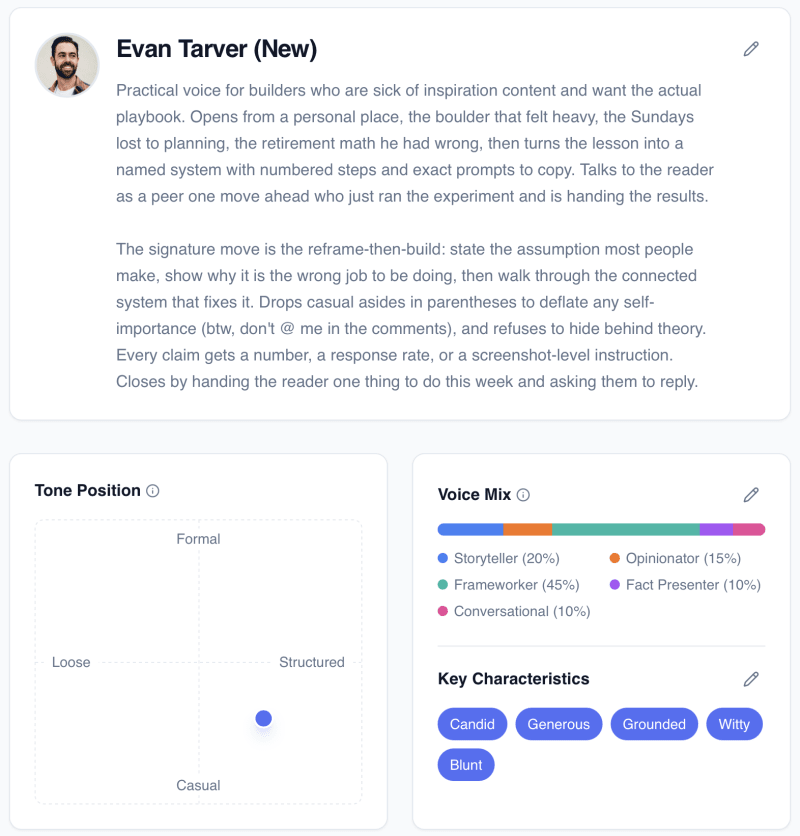
Your brand summary is a synthesis of the patterns that repeat across your samples. What you tend to write about, how you tend to frame it, the through-line that shows up. Flyletter takes this directly from your about page if you connect your public newsletter, or infers from your samples.
Tone Position, Voice Mix, Key Characteristics
The tone, mix, and key characteristics of your writing voice are plotted from measured patterns in the writing samples themselves. Where you actually land between blunt and warm, formal and loose, how often the register shifts.
Audience Focus & Brand Positioning
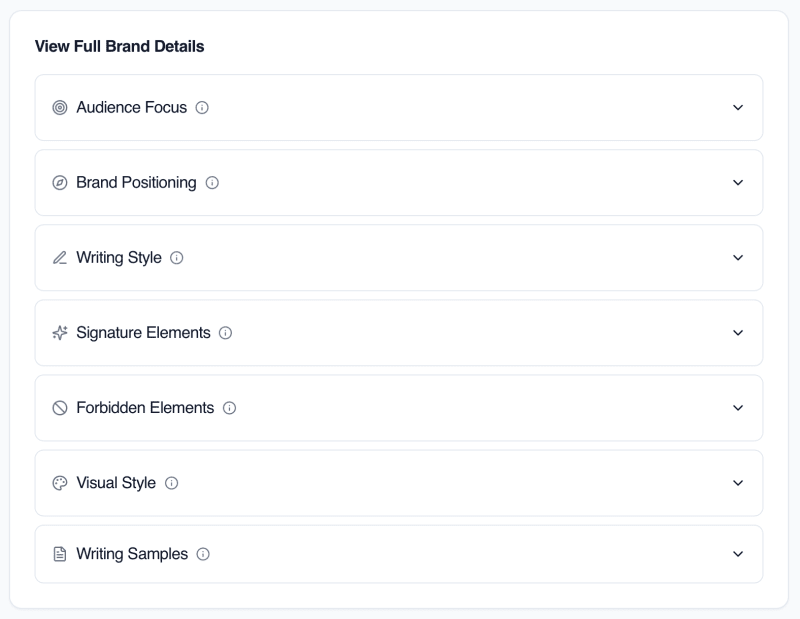
Your audience focus and brand positioning are derived from who your writing addresses, the way you position your message, and how it separates you from everyone else in your lane.
Writing Style
"My voice is direct and conversational" tells the model little it can actually act on. Your writing style captures your unique opening and closing style, how you address your reader (second person, etc), the rhythm and structure of your writing style, and more. It captures the differences from AI model defaults.
Signature Elements
Your recurring writing moves, and the verbatim quotes that prove them. Not paraphrased characteristics, not "tends to use vivid metaphors." The actual lines, lifted straight from your published work and byte-for-byte verified against the original so nothing gets softened or invented in transit.
Forbidden Elements
AI patterns identified as absent from your real habits, held up as guardrails so the model doesn't wander into generic tics you'd never write. If you never open with "in today's landscape," that gets flagged as not-you, and it stays out.
Visual Style
Your visual style captures your brand's visual vibe, determined from actual image samples you provide or inferred from your audience and positioning. Your visual style is used in all of Flyletter's image generation.
The Anti-AI-Slop Doctrine
There's one failure mode that quietly poisons every DIY voice setup. The samples you feed it might actually not be fully yours.
Ask yourself honestly: The "voice samples" you hand to a Claude or ChatGPT project, were any of them already touched by AI? A draft you cleaned up in ChatGPT. A post you asked a model to make punchier. If so, they're carrying the model's fingerprints, not just yours.
And a tool that learns from those samples learns the wrong lesson. It picks up the em dashes, the "here's the thing" openers, the choppy fragment cadence that no human actually talks in, and it files all of it under "your voice." Then it feeds those tells right back to you as the real thing.
Flyletter's extraction process refuses to do that. Known AI tells get filtered out before anything reaches your profile. Em dashes, the stock phrasings, the manufactured fragment rhythm, all of it gets screened so the profile captures how you write, not how a model writes when it's pretending to be you.
There's a fuller list of the exact tells we screen for in our AI writing standards if you want to see what gets caught.
A Living Profile, Not a Static File
Flyletter's brand profile not capturing your voice on the first go-around? No problem.
You can have Flyletter generate voice samples and chat with it directly to make changes. Or, you can make manual edits to your brand profile yourself, and even refresh it entirely with new samples to analyze.
Once your profile is approved, Flyletter tracks the edits you make to each newsletter, and when it spots common trends, will automatically suggest brand profile updates so it gets even better at capturing your writing style and voice over time.
Why Your Claude Project or Custom GPT Stalled
I've asked myself over and over: why not just use ChatGPT or Claude? Why is this better than building my own brand voice profile? Here are the issues I ran into, and why Flyletter is the solution:
- Voice descriptions produce impressions. You typed "direct and conversational." The model got an adjective and made its best generic guess at what those words mean, instead of teaching it how your writing is specifically different than model defaults.
- Long instructions decay. Stuff your voice guide into a prompt and it stops working somewhere in the middle. Researchers at Stanford found model performance forms a U-shaped curve, strongest at the very start and end of a long context and noticeably weaker for anything buried in between.
- Contaminated samples teach the tells back. If the writing you fed it was already AI-touched, the model learned its own fingerprints and called them yours, exactly the trap the extraction screens out.
- Static files go stale. The doc you wrote at setup describes the writer you were that week. Your style shifts, nobody updates it, and the drift compounds every draft after.
Bottom Line
Description produces an impression of your voice. Evidence of key differences between your writing and model defaults actually produces your writing voice.
The fix isn't a better prompt. It's a profile built from your actual writing, measured against model defaults and quoted with receipts, then handed to every agent fresh at write-time so it never drifts by paragraph three.