Your AI Content Team: How Flyletter's Agents Write Your Newsletter
Most AI tools cram everything into one prompt. Flyletter writes your newsletter with a relay of specialized agents and engineered handoffs so it sounds like you.

11 min read
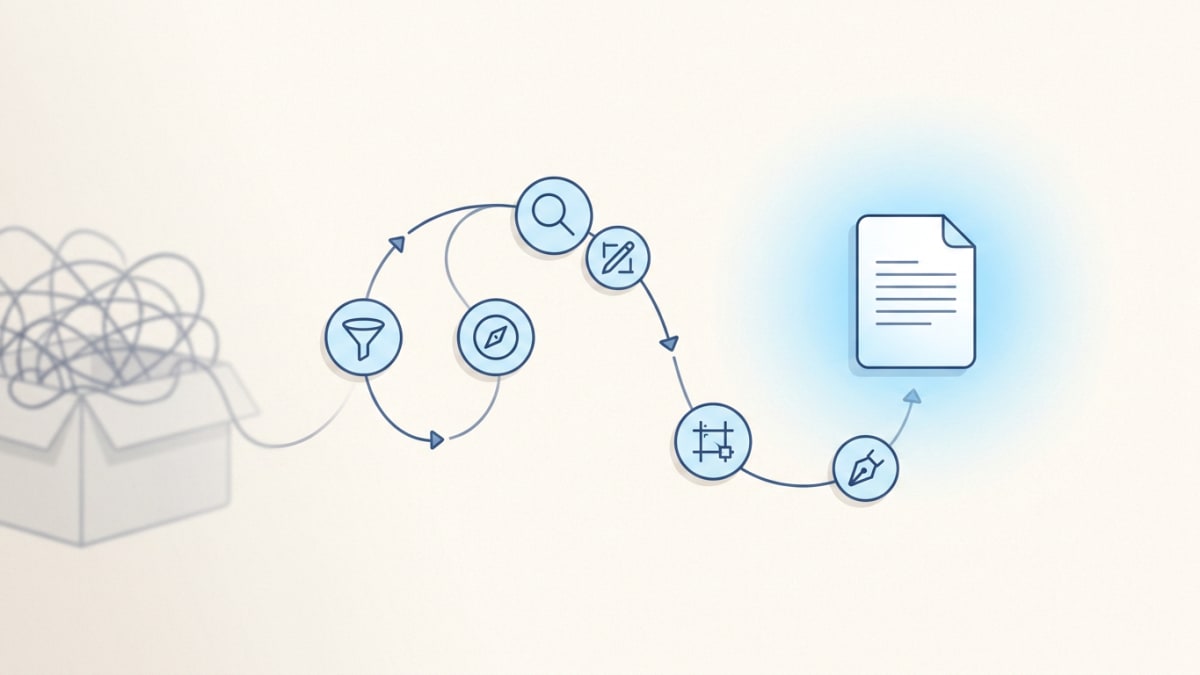
I started writing with AI like most people. I'd paste one big writing prompt into Claude or GPT, give it a little context about me, and then tell it to write a newsletter on X topic, in my voice, and don't forget to make it good...or else
But the output generally sucked. It didn't sound like me at all. It sounded like an AI bot trying its best to impersonate me.
So I took a step back and looked into my past, asking myself what really goes into a good piece of writing and how I'd construct a content team around each task.
Turns out writing good newsletter content is a stack of jobs. Strategy. Research. Outline. All before you even start drafting and editing.
So I did the next logical thing. I built a series of role-specific prompts and skills and ran them one after another in a single chat. Strategy prompt, then research, then outline, then write, etc. Better, but not great.
The voice drifted the more instructions I added to the chat. It would forget the voice profile and trip over its own earlier steps with a bad case of identity crisis. By the end it had completely lost the plot.
That failure is the whole thesis behind how I built Flyletter. I stopped cramming every job into one chat and built a newsletter pipeline instead: a lineup of agents that each work the same draft in order, reading a structured brand voice profile and passing necessary info to the next agent.
Newsletter output drastically improves when you do it this way. Define a set of narrow writing tasks, assign each agent a role, and then architect a sequential pipeline that runs only one agent at a time, passing decision traces down to the next agent so it can operate its task.
Here's exactly how Flyletter's AI content team is built to write in your actual voice, and why it's better than trying to chain this all together in a Claude or ChatGPT project:
What Each Agent in the Pipeline Actually Does
So what actually happens after you hit "write" and Flyletter's newsletter pipeline starts? Think of it as a relay. Each agent runs its leg, then hands the baton to the next one and gets out of the way.
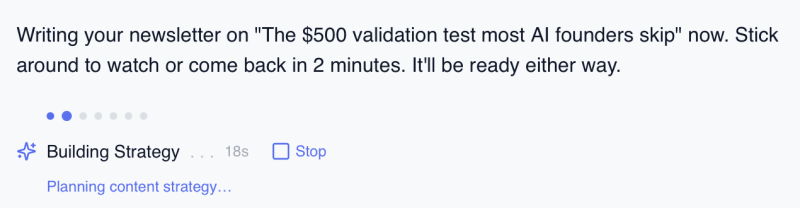
Before the relay starts, the Planner step takes your raw topic, a half-formed idea, a link, a "write me something about X," and turns it into a structured prompt the downstream agents can read.
Strategy Agent (Strategist)
Most AI approaches skip strategy and jump straight to the writing task. The Strategist takes your topic and decides what the newsletter is actually arguing, who it's for, and why your angle is the one worth reading, all grounded in your brand profile so the take sounds like you.
Then it hands a strategic direction to the Researcher.
Research Agent (Researcher)
The Research Agent goes out to the live web and pulls data, examples, and sources to back up the strategy. Not the trending stuff, but the relevant stuff, filtered through what your audience actually cares about. This way, your newsletter ships with real evidence instead of vibes.
Once it does its research, it hands the sourced findings forward.
Outline Agent (Architect)
Most outlines are a wall of bullet points disguised as structure. Not Flyletter. The Architect builds your newsletter section by section, deciding the flow, where the research lands, and how the piece actually moves. It pays attention to how you write, so if you lead with stories, it leads with stories. If you lead with frameworks, it leads with frameworks.
It then hands a detailed outline to the Writing agent, along with context on each section.
Writing Agent (Writer)
The Writing Agent drafts the full newsletter using the strategy, research, and outline as the foundation, and every sentence runs through your brand profile: voice, rhythm, word choice, formatting quirks, patterns to avoid, and more. The output actually sounds like you, not something trying to sound like you.
When the draft is complete, it signals the editing agent to do a polish pass.
Polish Agent (Editor)
First drafts always have problems. Awkward openings. Repeated phrases. Sentences that don't earn their place. The Polish Agent reads the whole draft like a sharp editor, fixes those issues, and double-checks against your forbidden elements list so your voice never drifts.
With the newsletter draft complete, it hands the final draft to the image agent to create a featured image for the newsletter.
Image Agent (Illustrator)
You shouldn't have to brief a designer or scroll stock libraries every time you publish. The Illustrator generates a featured image based on the draft, matched to your brand's colors, mood, and visual style. By the time the pipeline is done, your newsletter and cover image look like they came from the same place. Because they did.
With the final draft imagery approved, the baton is passed to the social media agent.
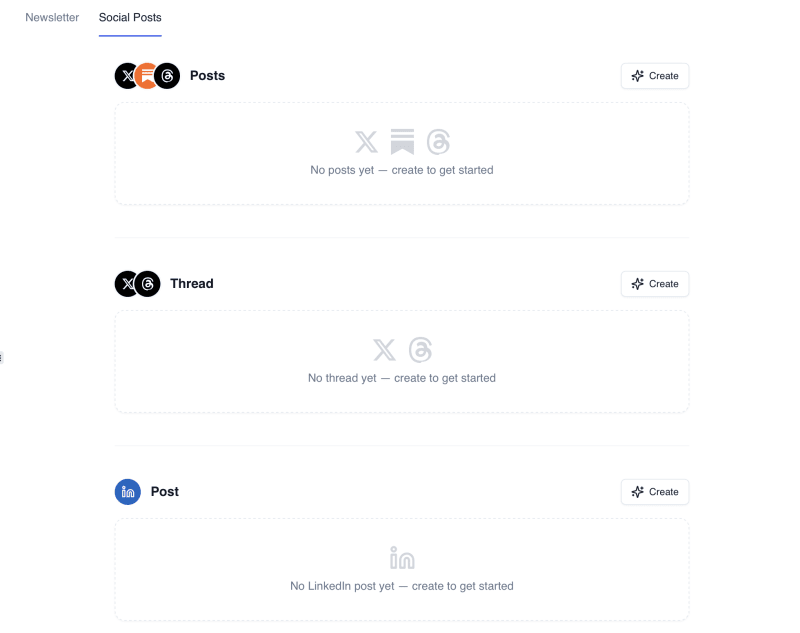
Socials Agent (Publicist)
Once your newsletter draft is refined and complete, Flyletter's Publicist Agent repurposes your newsletter as native content for each social media platform you use. This gives you endless content you can use to promote your newsletter across channels.
The Publicist understands platform context (character limits, formatting norms, what performs on each feed) and rewrites accordingly. So your LinkedIn post has the structure and tone that works on LinkedIn. Your X thread has the pacing and hooks that work on X. Same core ideas, completely different execution.
You ship the newsletter and the social rollout at the same time. One central piece of content, multiple outputs, all on-brand. For more information, check out our article on the four-stage framework for newsletters that grow.
The Four Mechanics That Make a Pipeline Actually Work
So why does that relay produce better writing, not just writing that went through more steps? Because the handoffs are engineered. Four mechanics do the heavy lifting:
One: Decision Traces, Not Chat History
A chat history is the full raw transcript. Everything anyone said, in order, forever. A decision trace is different. It's the condensed why behind a choice, passed down from an upstream agent instead of the whole transcript.
Why does that matter? Because passing raw history multiplies noise. Every downstream agent inherits everything said, not just what mattered. It's a game of telephone. By the time the Writer reads a full transcript of the Strategist and Researcher thinking out loud, it's drowning in context it can't tell apart. Pass the decision, not the full diary.
Two: Compact Persona Slices, Not the Whole Profile
Every agent reads from your structured brand profile, but no agent reads all of it. Each one receives a compact slice: just the dimensions its job touches. The Strategist gets your positioning and audience. The Writer gets your voice mechanics plus verbatim examples of your real writing.
This is the architecture that stops voice drift. Dump the entire profile into a single chat alongside the strategy, the research, and the outline, and the model starts blending it all together. The voice fades a little more with every prompt. Hand each agent only the slice it needs and the profile arrives sharp at every stage, all the way through the final draft.
Three: Forbidden Elements Checks
Generic AI phrasing always creeps in. It just does. So forbidden-element checks run with every agent in the pipeline, not once at the end. (That quality floor is spelled out in our writing standards if you want the specifics.)
Why not just check once at the finish line? Because drift that isn't caught early gets built on. If the Architect's outline already leans generic, the Writer builds on generic, and the Editor is now fighting a whole draft instead of one bad line.
Four: Token Limits as Quality Control
Run every job in a single chat and the context window becomes a junk drawer. Strategy, research, outline, draft, voice instructions, all crammed into one place, and the model has to dig through the whole pile every time it writes a sentence.
Flyletter's agents never face that pile. Each one gets a deliberately small token budget and only the inputs its narrow task needs. Less to parse means less to confuse. A role-specific agent with a tight window executes one job better than a generalist trying to sort through everything ever said.
The limit is the feature.
Those four together are what can't be rebuilt inside a single chat window or a custom GPT.
Why This Beats a Chat, a Custom GPT, or Claude Skill
Claude and ChatGPT are great models. They're what Flyletter's agents run on.
But the problem isn't the model. It's the context window.
When you use ChatGPT or Claude to write your newsletter in your voice, two things are happening: it's trying to understand what your voice is, and then how to apply it to the writing task at hand.
The issue is that if you include brand voice context as a prompt or in a project file, the chat is quick to deviate. A more structured workflow, however, allows for a JSON brand persona slice to be injected in each agent's context at each turn with explicit instructions on how to read and apply it for its specific task. That way, the AI never forgets who it's writing as.
The second issue is that a single chat session with a large context window is actually worse at assuming the roles of an entire content team. It tries to follow the instructions of a strategist, or researcher, or writer, but every new instruction you add to your chat competes with everything you already said, no matter how well you follow the prompt engineering best practices.
Published research backs this. A 2025 benchmark called IFScale tested 20 frontier models on instruction-heavy writing tasks and found that performance drops as instructions pile up, with even the best models following only 68% of instructions at the highest density.
Researchers call it the curse of instructions: every directive you add multiplies the odds that some get dropped. The more competing jobs you cram into one window, the worse the model gets at any of them. Same window, same collapse, no matter how smart the model is.
With Flyletter, because the pipeline is architected to give each agent only what it needs to complete its task, agents are able to produce higher-quality output.
Job separation is what does it, not model intelligence.
For the full head-to-head, including pricing and a feature-by-feature table, see Flyletter vs ChatGPT vs Claude.
Real-Time Refinement: The Refine Agent
Okay, so the newsletter pipeline generates your draft. But what if something doesn't land?
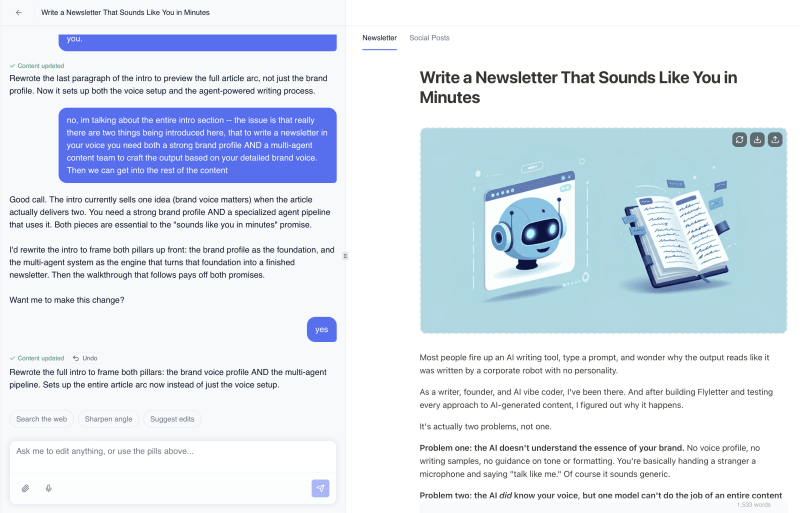
Flyletter's Refine Agent is basically a chat-based editor sitting right next to your draft. Want to adjust the tone of a section? Ask. Need to add a specific example you forgot to include? Tell it. Want to restructure the closing? Just say so.
It maintains context across multiple rounds of refinement, so you're not re-explaining your intent every time you ask for a change. You have a conversation with it, the same way you'd go back and forth with a human editor.
No starting over. No losing your work. Just iterative improvement until the piece feels right.
The Bottom Line
I built Flyletter because I wanted an entire content team working on my newsletter without actually hiring an entire content team.
That's what this is. A relay of specialized agents, each handed only what it needs, all reading from a brand profile that learns from your edits.
One context window doing every job at once degrades all of them. Fewer jobs per window fixes it, and no prompt can rebuild that inside a single chat. The quality difference is architectural, not prompt cleverness.
You bring the ideas, the experience, the perspective. The pipeline handles the strategy, research, structure, drafting, polish, and the social rollout.
Try Flyletter free and put a real team on it.